Etiscope Capture
Kit · App · Portal · Outputs · Coverage
The field app that records the evidence Etiscope runs on.
Five inertial measurement unit (IMU) sensors, an iPad or iPhone capture app and the assessment surfaces in Etiscope's cloud portal — used by trained assessors in the actual workplace, in around 10 minutes per assessment.
At a glance
What Etiscope Capture does.
The capture part of Etiscope
Etiscope Capture records objective evidence of physical-work risk. The rest of Etiscope turns that evidence into task insights, return-to-work matching, the risk universe and longitudinal reporting.
The first step in the cycle
Assess → Control → Validate → Track is the rhythm of every Etiscope program, and Etiscope Capture handles the Assess step.
Around 10 minutes
A typical assessment takes around 10 minutes in the field. That's what makes it practical to assess every important task in every high-risk role.
The kit
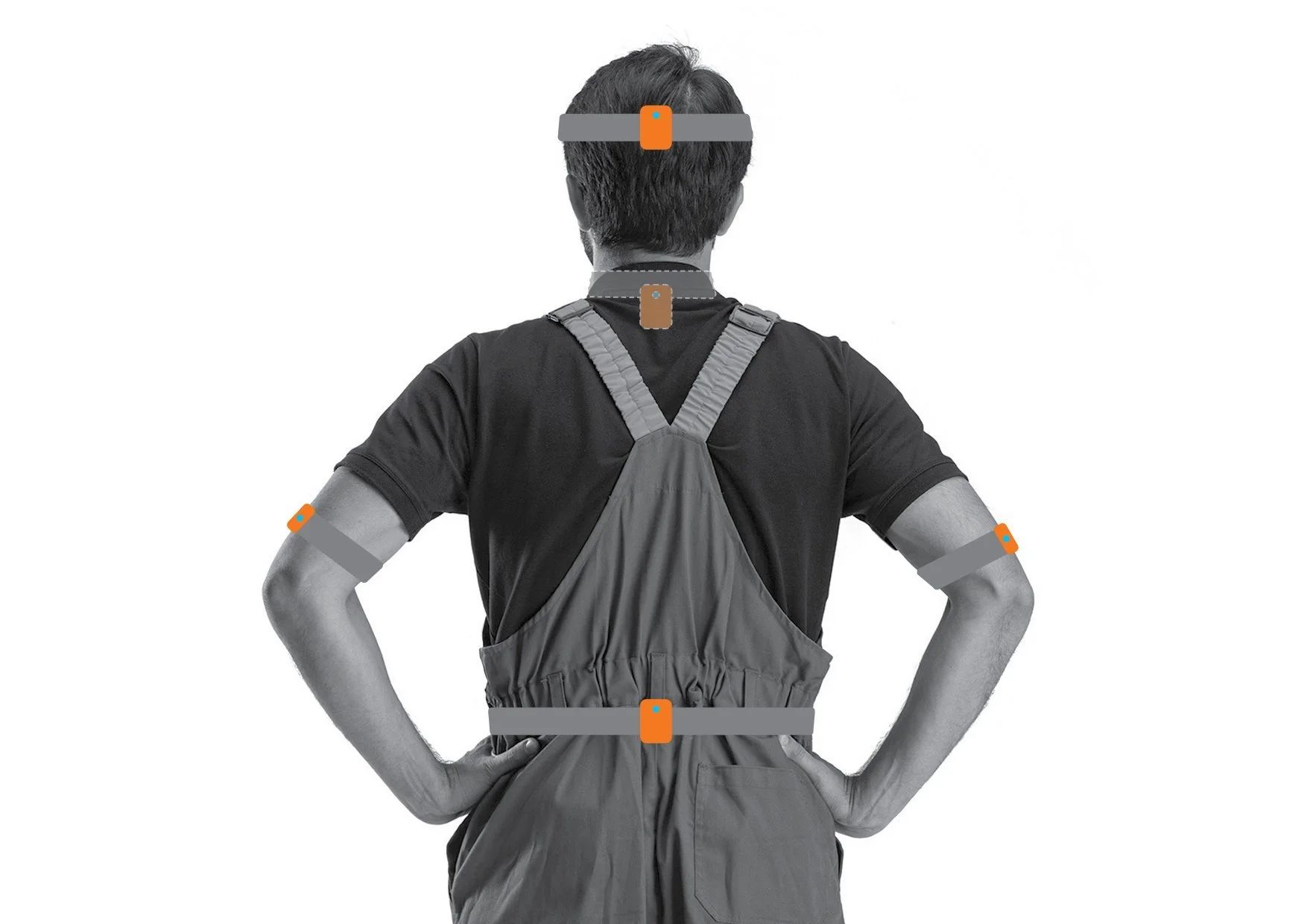
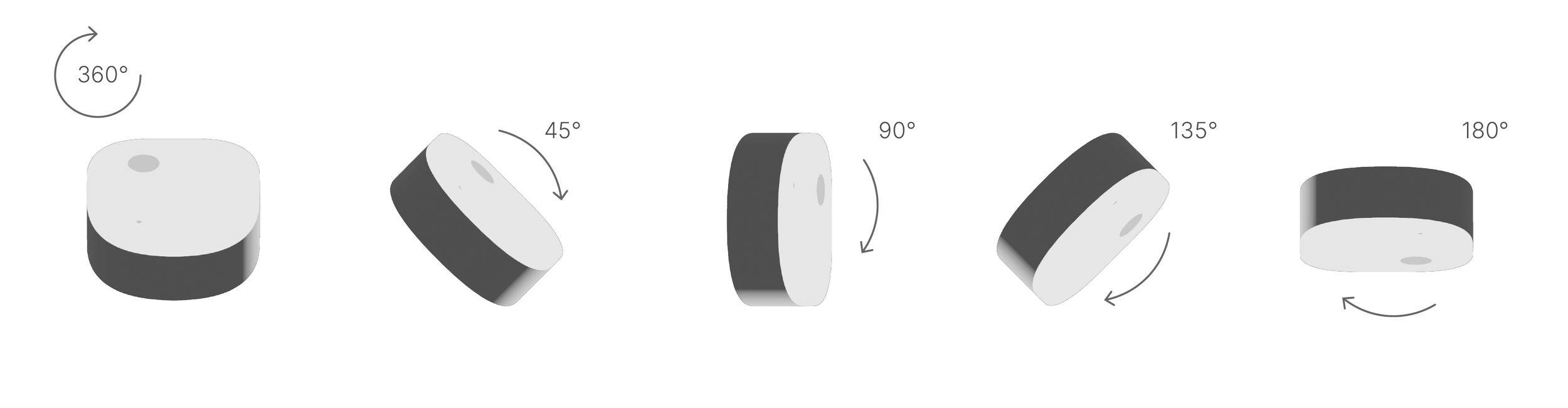
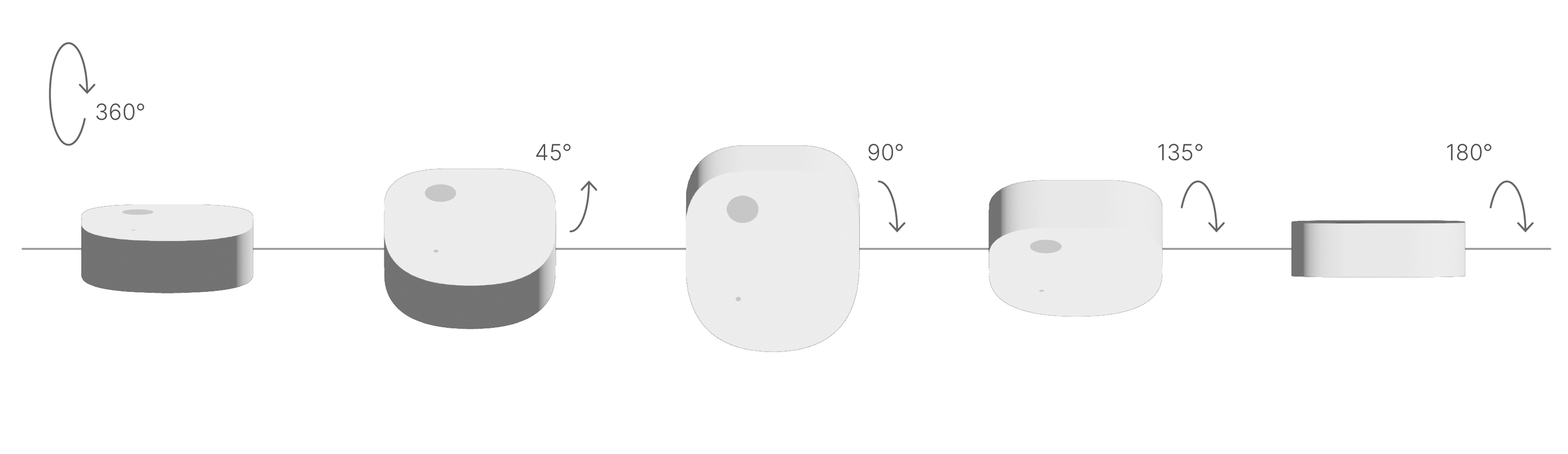
Five sensors, worn through the real task.
The sensors are body-mounted, so the assessment does not need a sight line. The worker performs the task as they normally would, in the conditions they normally do it in.
- Head
- Cervical posture and head and neck movement.
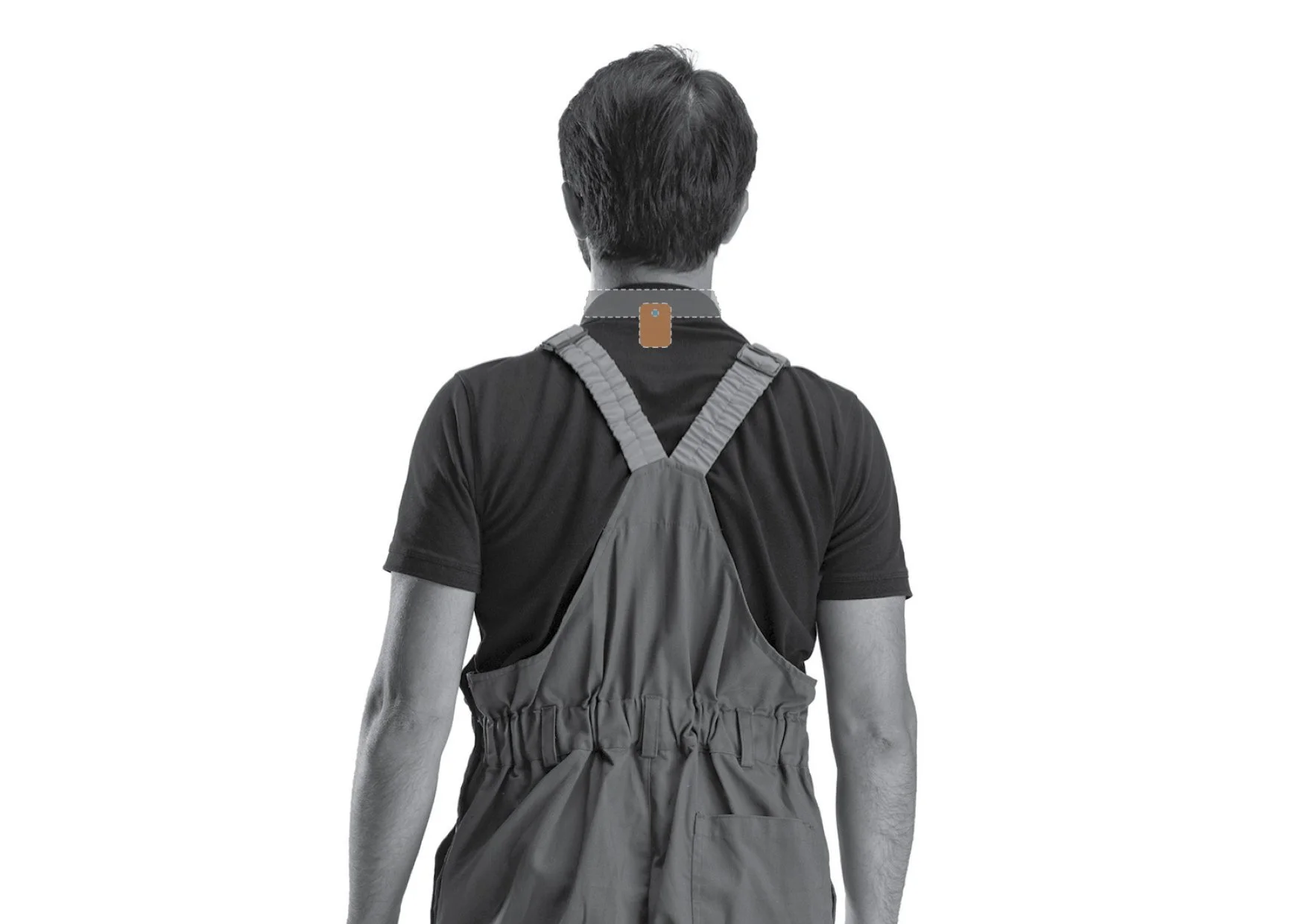
- Upper back
- Thoracic posture.
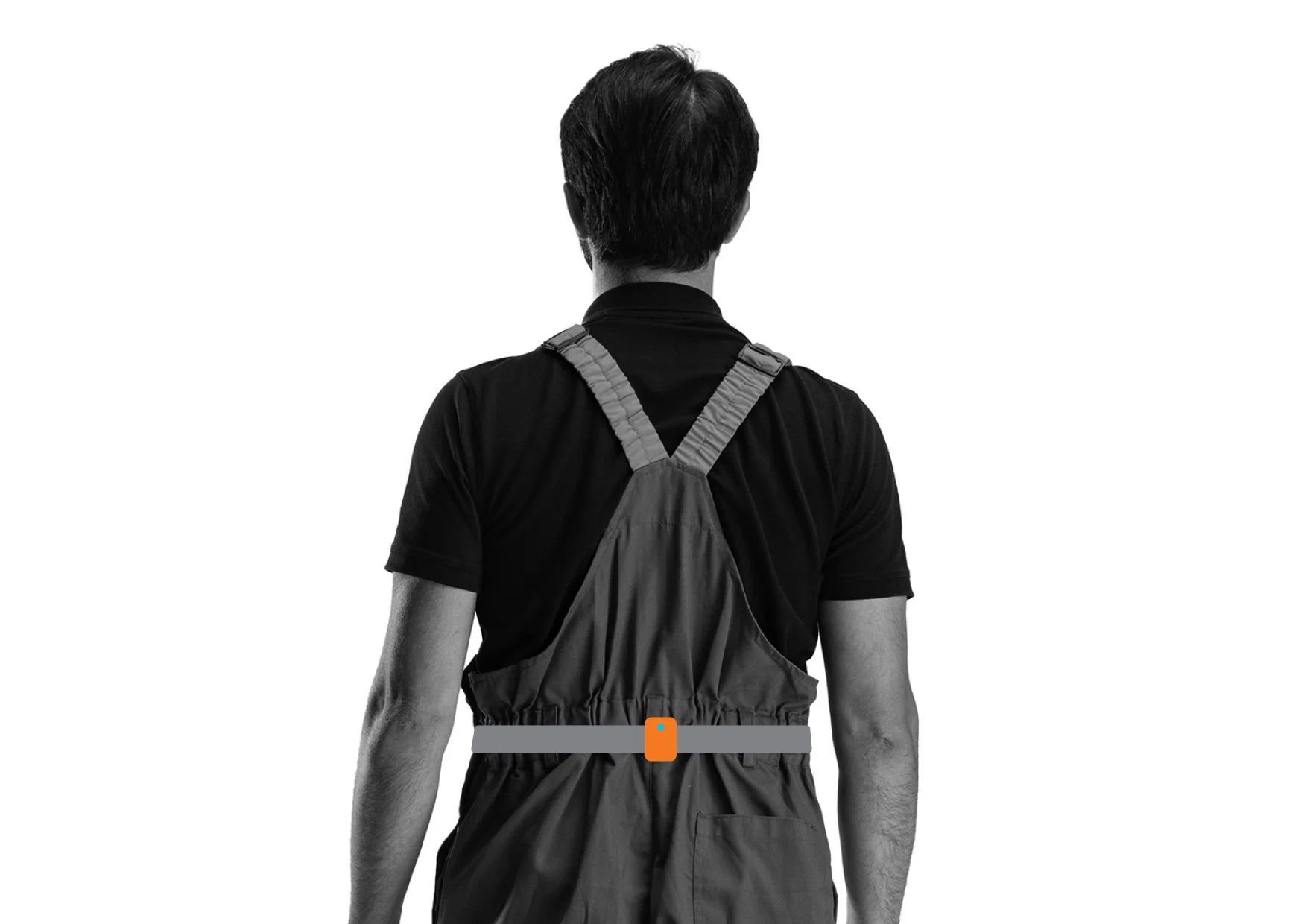
- Lower back
- Lumbar posture — the most claims-significant body region for manual handling.
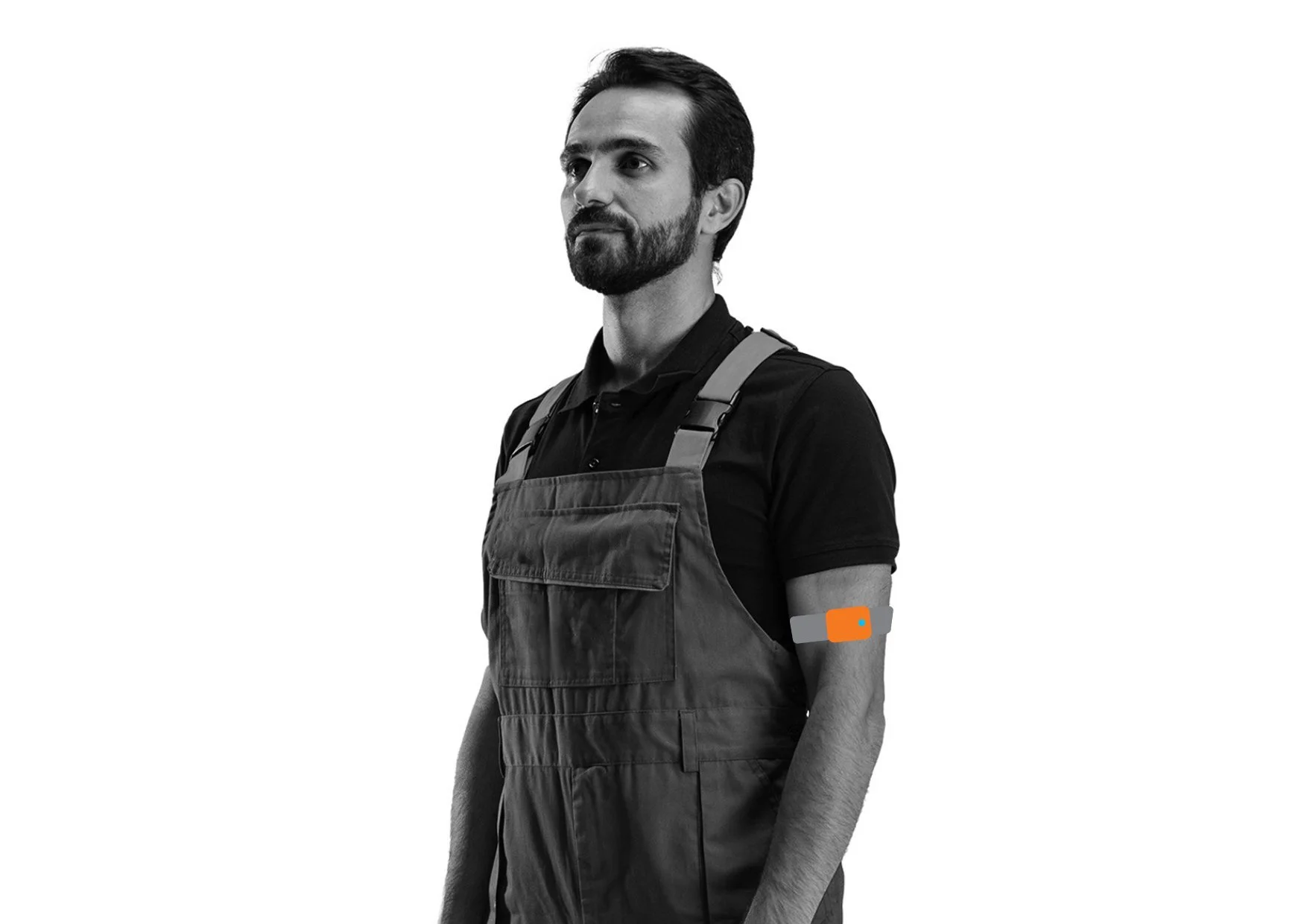
- Both arms
- Upper-limb exposure: overhead reach, asymmetric loading and repetitive motion.
Rechargeable
Battery levels and signal strength are auto-checked at the start of every assessment.
Straps
Auto-adjusting buckles, designed to fit over and under common PPE without restricting how the worker moves.
Charger
A multi-port charger takes all five sensors at once.
Case
A protective case sized for industrial deployment.
The app
An iPad or iPhone and around 10 minutes.
Etiscope Capture, the iOS app, runs the assessment end to end: pairing, capture, and the task context the sensors cannot observe. It works offline and syncs when the device is back in coverage.
Find the sensors
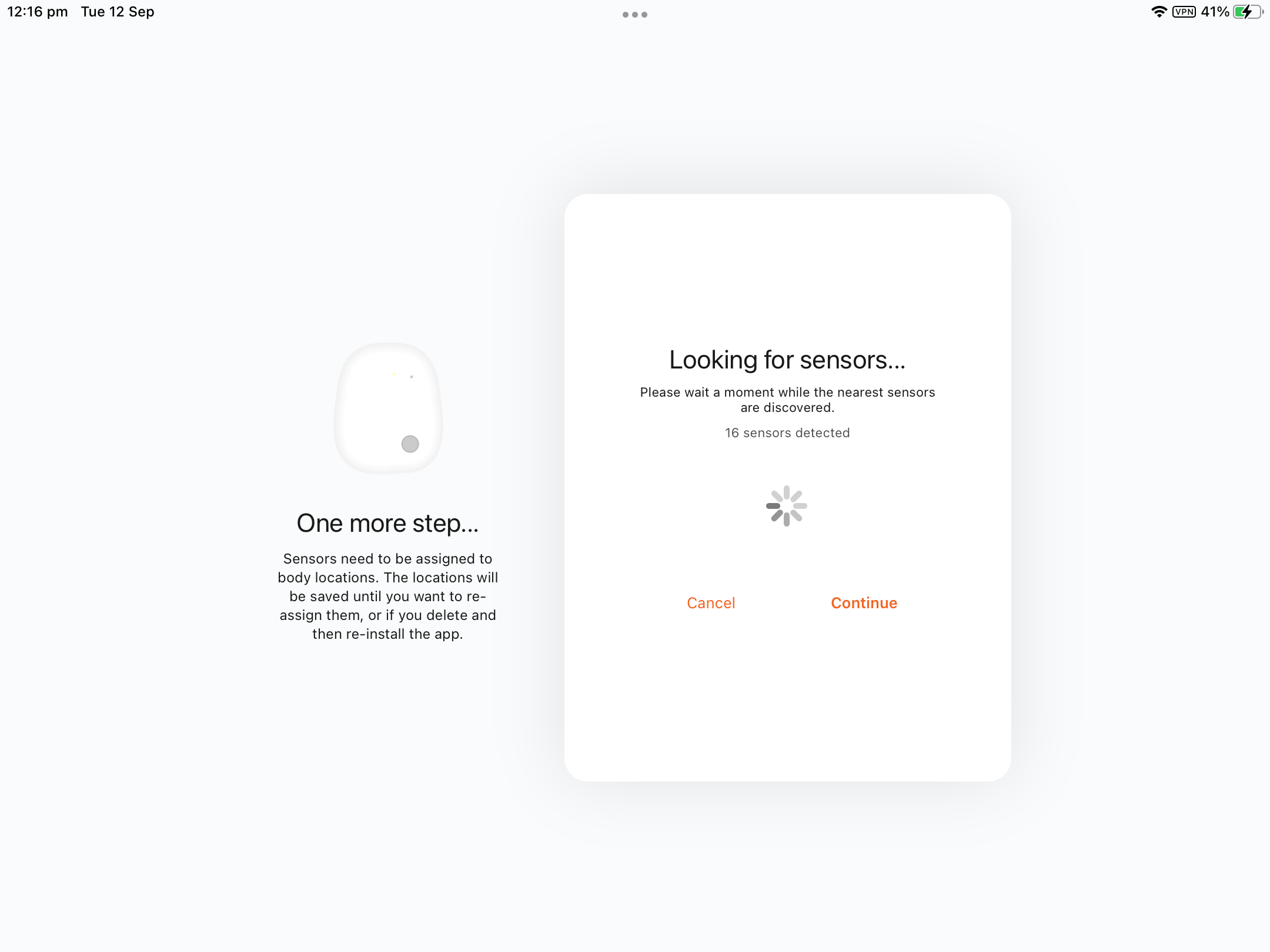
The app scans for the kit and reports what it can see, so a flat or missing sensor surfaces before anyone is fitted.
Assign them
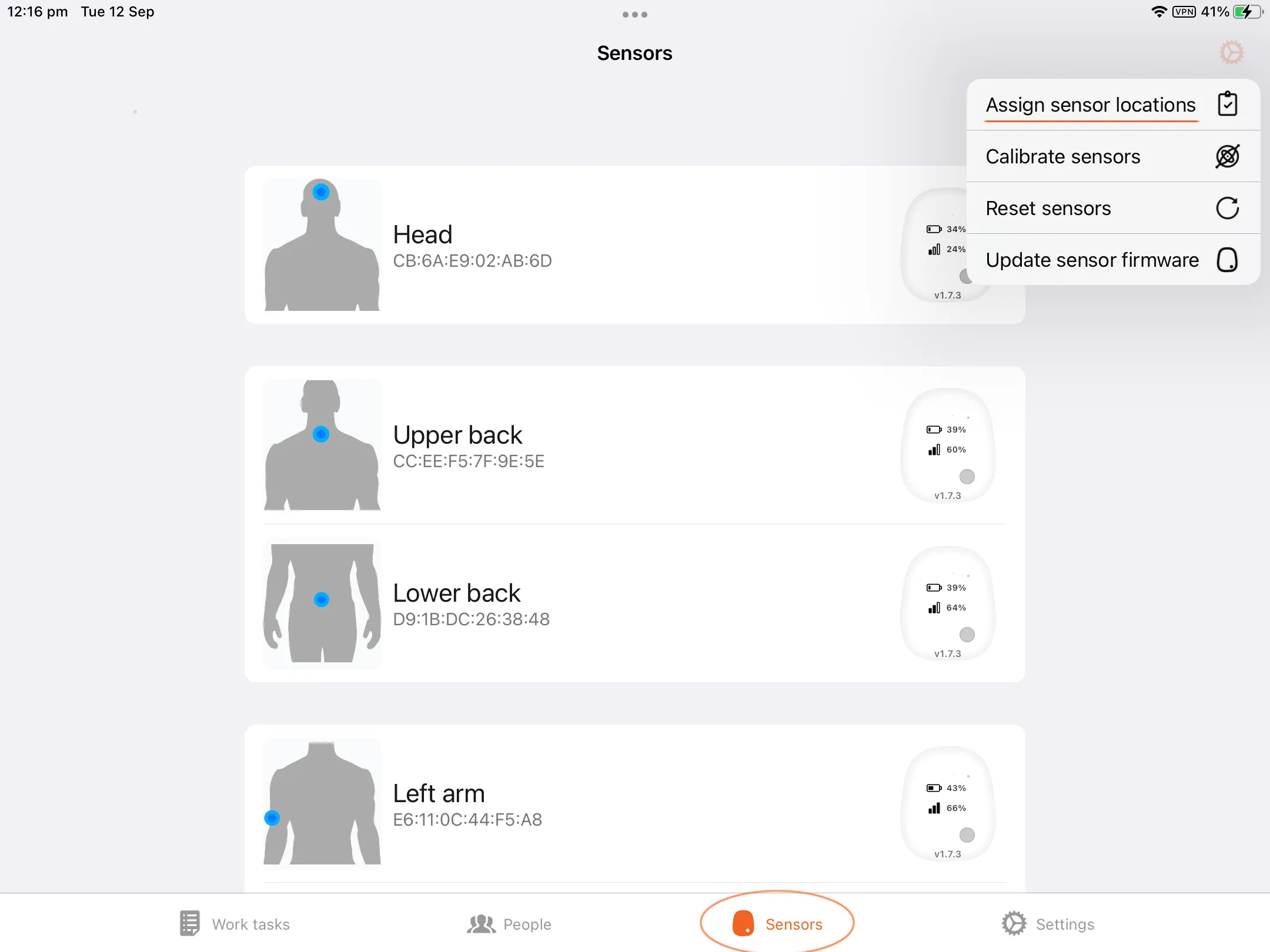
Each sensor is assigned to its body region once for the kit, not for every capture. It's worth a second look here, because a sensor on the wrong region would score movement that never happened.
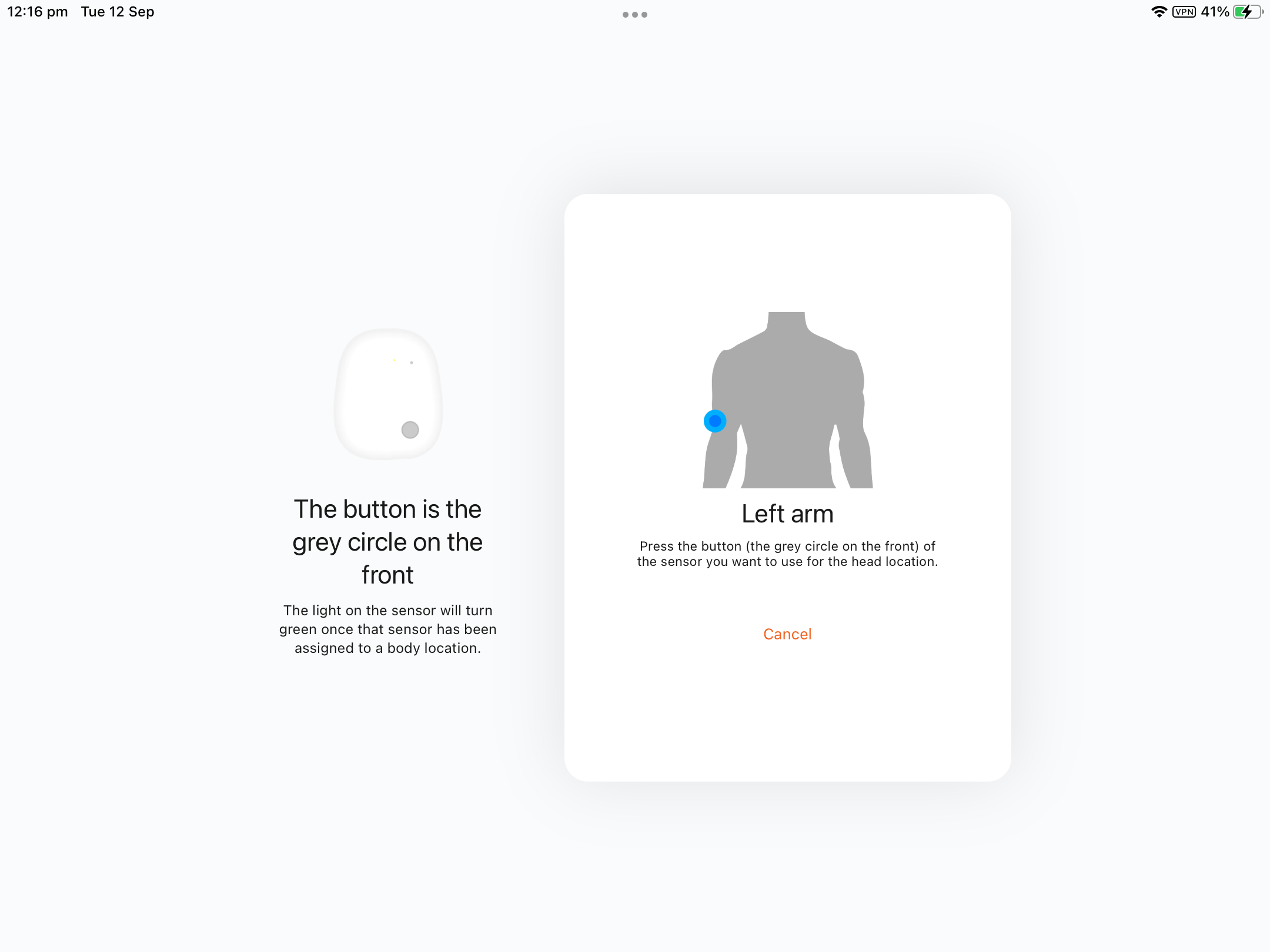
Left arm, right arm
Left and right are separate assignments, because asymmetric loading is one of the things the assessment is there to find.
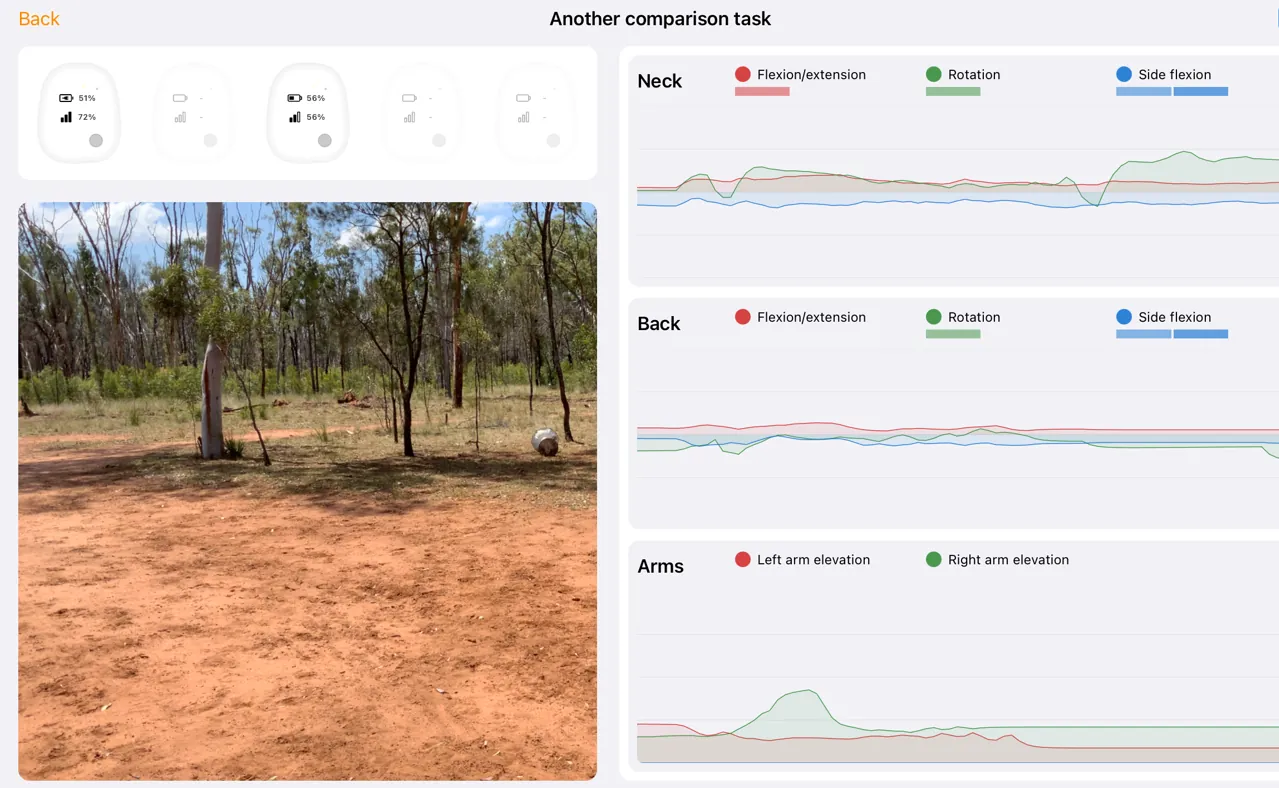
Capture
The task runs as it normally would. Optional synced video sits beside the live readouts, and face-blurring is available at or after assessment.
What the assessor enters
The app prompts for load, grip, shift duration, perceived effort, PPE and environmental conditions. The sensors don't measure load weight, so the assessor enters the perceived load, and the score relies on that entry being accurate. Assessments can be run with de-identified worker IDs, in line with your organisation's own consent arrangements.
The portal
Where an assessment becomes a record.
Every capture syncs into Etiscope's cloud portal, where your captures become a record your safety team, insurer or regulator can work from.
The assessment library
Every assessment ever run, by site, role, task, assessor and date — the record the rest of the program is built on.
Pre/post comparison
The same task, before and after a control, with the same sensor configuration and the same contextual fields, side by side.
Control management
Controls logged against the assessment that justified them, with owners, implementation dates, review schedules and overdue flags computed from the date rather than maintained by hand.
Contributing-factors detail
Every input variable that shaped the score, in the shape an engineering or ergonomic review can work from.
What-if scenario adjustment
Entered values — load, duration, frequency, perceived effort — remodelled against the same captured movement, before a control is committed to.
Beyond these surfaces, the rest of Etiscope works on the same evidence — task and job insights, the task demands library, Functional Demand Statements, the risk universe, longitudinal program reporting and Etiscope AI. See the platform →
Outputs
What an assessment produces.
- Summary assessment
- The headline Consequential Risk Score, its risk band, the body-region breakdown and the dominant exposure factors.
- Detailed contributing-factors report
- Every input variable that shaped the score, in the shape an engineer or an ergonomist can review.
- Task description
- Load, grip, shift duration, perceived effort, PPE and the other context the assessor entered.
- Data capture summary
- Sensor placement, the capture window, video sync metadata and the assessor's notes.
- Physical task demands report
- The functional-demand profile used for return-to-work matching, recruitment and induction.
Coverage
Built for the field, not the lab.
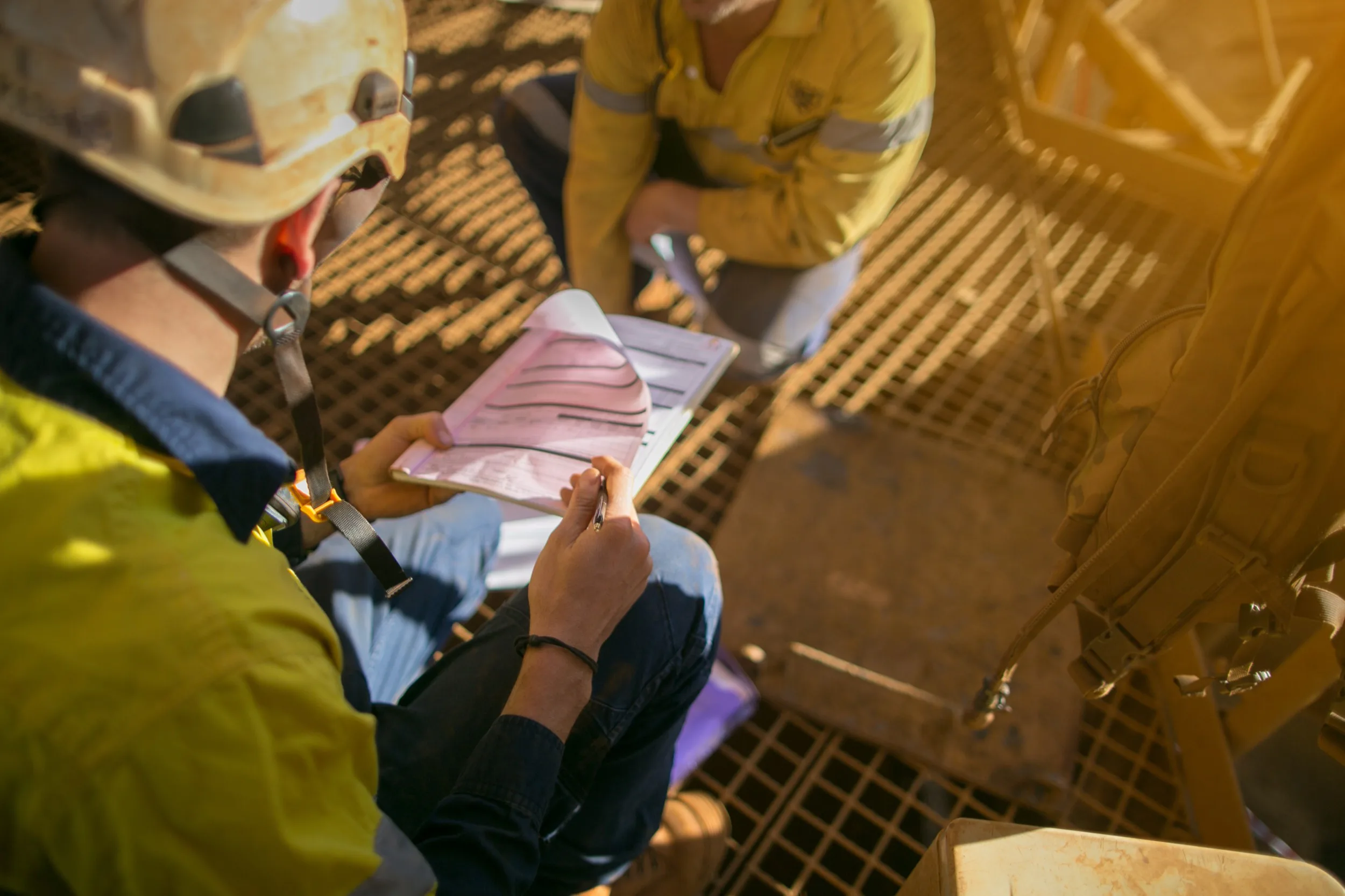
Because the kit is worn rather than watched, the assessment goes where the work goes. Pacific Gas and Electric (PG&E) scaled the program from two assessors to twenty-six in six months. PG&E's published evaluation records that the platform met its four customer-defined requirements, including assessment in confined spaces and elevated work, and risk assessment from a safe distance.
- Confined spaces
- Elevated work and work at height
- Outdoor sites, including at night
- Behind and under PPE
- Low light
- Mobile and moving work
- The assessor at a safe distance
Boundaries
What Etiscope Capture doesn't do.
Not a worker-monitoring system
Etiscope identifies risk in the work design, not in the worker. It is not used to track an individual's compliance or behaviour.
Not a single-sensor wearable
A single posture device cannot produce the body-region breakdown the score and the controls conversation run on.
Not a camera-AI system today
The methodology is pose-data-agnostic. Sensors are the production path because that is the configuration it has been validated on; vision capture is coming in Etiscope 3.0, and assessments already captured with suitable video will be able to run through it.
Not a replacement for your ergonomist
It is the instrument that makes the ergonomist's judgement — and the safety team's case — far more effective.
Not the whole of Etiscope
Etiscope Capture records the assessment. The insights, return-to-work matching and reporting sit in the platform, which runs on that evidence.
Not for sedentary work
MoveTime, a separate product, addresses desk-based workers. Etiscope Capture is for physical and manual-handling work.